

Business Wi-Fi Planning: Coverage for Offices and Warehouses in Dammam & Al Khobar
Quick answer
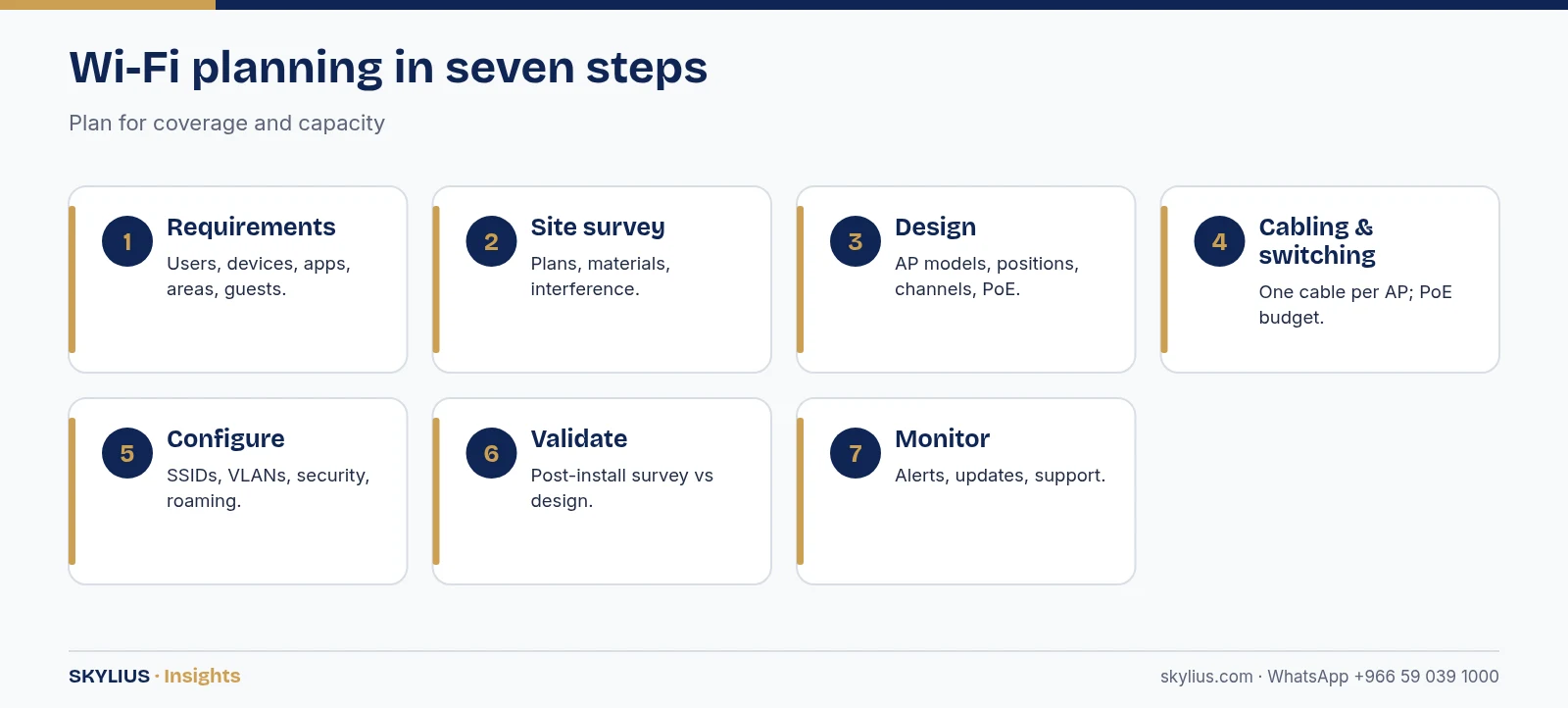
Reliable business Wi-Fi comes from planning, not from buying a more powerful router. A professional design starts with a site survey, places ceiling-mounted access points (APs) for both coverage and capacity, connects them with structured cabling and PoE switches, manages them centrally, and separates staff, guest and device traffic on different networks. Offices usually need more APs for user density; warehouses need APs suited to high ceilings, racking and handheld scanners. Plan for the number of devices, the applications you use (video calls, cloud apps, scanners), the building materials, and future growth. Secure the network with WPA3 or WPA2-Enterprise where possible, strong passwords and regular firmware updates.
Why office Wi-Fi often disappoints
Common problems we see in offices and warehouses across the Eastern Province include:
- A single consumer router or ISP modem trying to cover a whole floor.
- Wireless “extenders” that add coverage but reduce speed.
- Access points installed above false ceilings or inside cabinets.
- Too many users on one AP in meeting rooms and open-plan areas.
- Neighbouring networks on the same channels causing interference.
- Concrete walls, glass with metallic coatings, and metal racking blocking signals.
- No separation between staff, guests, CCTV and IoT devices.
The fix is a planned network with business-grade access points.
Coverage vs capacity
Coverage means a usable signal everywhere. Capacity means enough throughput for everyone connected at the same time. An area can have perfect coverage and still be slow if 60 laptops share one access point during a meeting. Good designs consider both:
- Map where people sit and gather – desks, meeting rooms, reception, canteen.
- Estimate devices per person (laptop, phone, sometimes a tablet).
- Identify demanding applications such as video conferencing, large file transfers and cloud ERP.
- Add APs where density is high, and adjust power and channels so APs don’t interfere with each other.
The Wi-Fi planning process
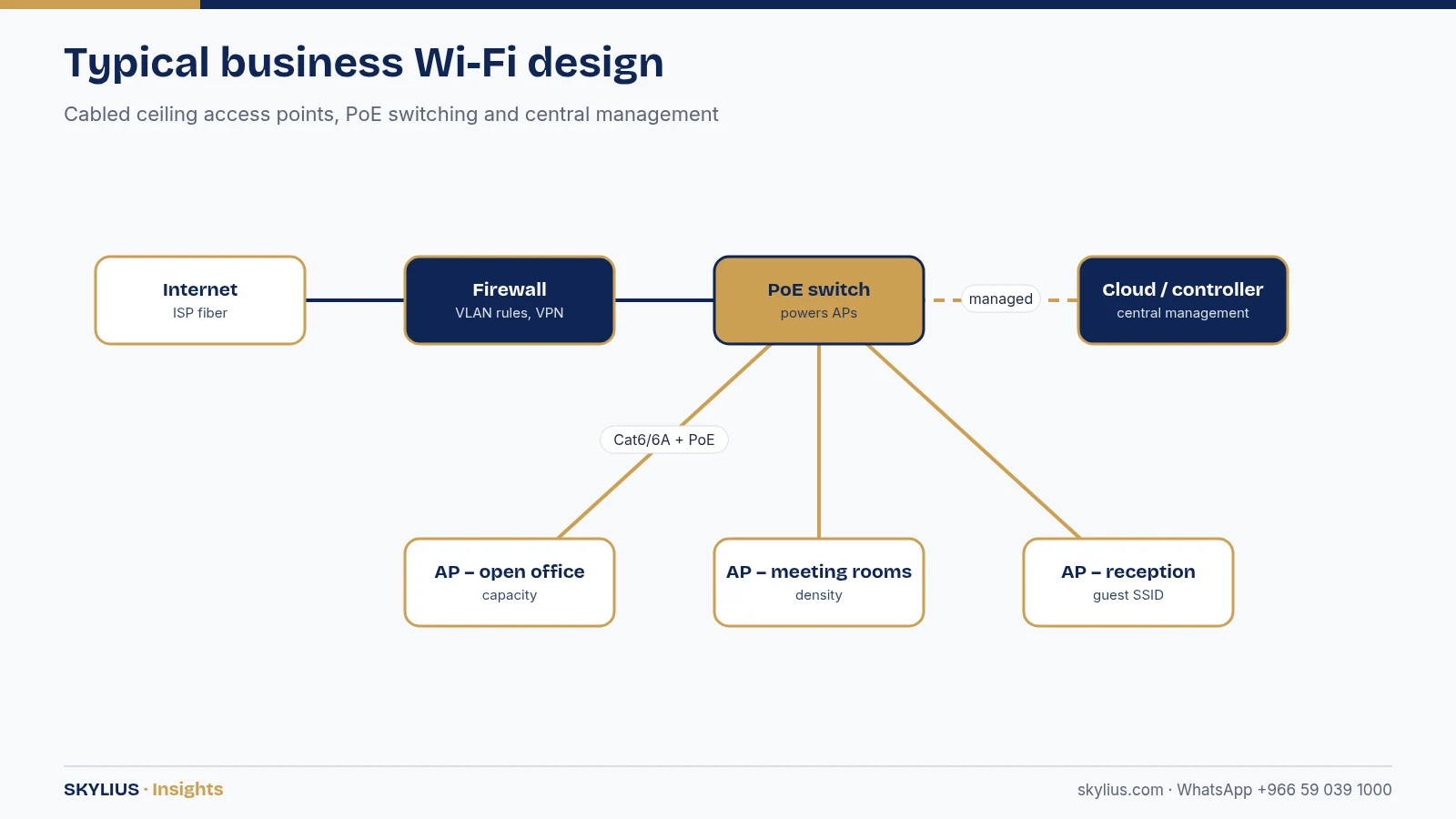
- Requirements – number of users and devices, applications, areas to cover, outdoor needs, guest access.
- Site survey – review floor plans, building materials and existing cabling; measure existing interference. Predictive (software) and on-site surveys can be combined.
- Design – AP models, quantities, positions, mounting heights, channel plan and PoE budget.
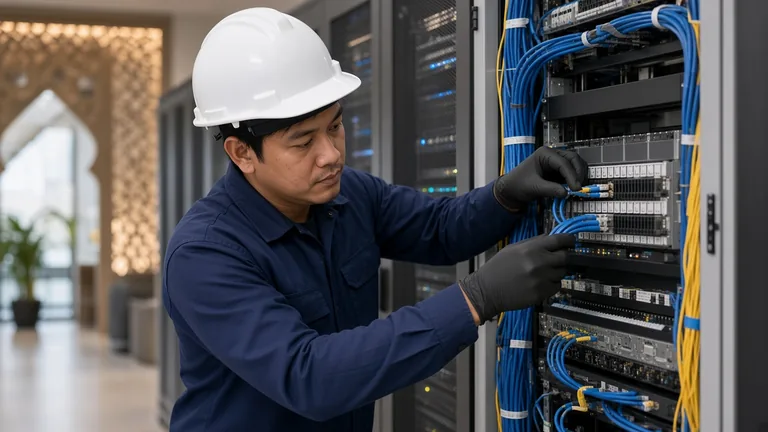
- Cabling and switching – a cable to each AP (Cat6 or Cat6A) and PoE switches with enough power.
- Installation and configuration – SSIDs, VLANs, security, roaming, bandwidth controls.
- Validation – a post-installation survey to confirm coverage and performance.
- Monitoring and support – central management, alerts and firmware updates.
Office vs warehouse: different problems
| Consideration | Office | Warehouse |
|---|---|---|
| Main challenge | User density, interference | Height, racking, metal and stock |
| Typical devices | Laptops, phones, conferencing | Handheld scanners, tablets, forklifts terminals |
| AP mounting | Ceiling, evenly spread | High mounts or along aisles, directional antennas where needed |
| Roaming | Between meeting rooms | Continuous while moving along aisles |
| Environment | Air-conditioned | Heat, dust in some areas – check AP ratings |
| Changing conditions | Furniture moves | Stock levels change signal paths |
| Outdoor | Rarely | Yards, loading docks – outdoor-rated APs |
Warehouse tips
- Survey with racking loaded, because full shelves absorb and block signals differently from empty ones.
- Place APs to cover aisles, not just open floor space.
- Confirm your scanners’ supported Wi-Fi bands and roaming behaviour.
- Use outdoor-rated APs for loading docks and yards, and fiber links where racks are far apart.
Wi-Fi standards in brief
- Wi-Fi 5 (802.11ac) – still common in older devices.
- Wi-Fi 6 / 6E (802.11ax) – better efficiency in busy environments; 6E adds the 6 GHz band where permitted and supported.
- Wi-Fi 7 (802.11be) – newer standard with higher potential throughput; device support is still growing.
Choose access points that match your devices and budget. Check that the bands you plan to use are permitted in Saudi Arabia through the Communications, Space & Technology Commission (CST) and supported by your devices.
Security and network separation
- Use WPA3 where supported, or WPA2/WPA3-Enterprise with individual user logins for staff.
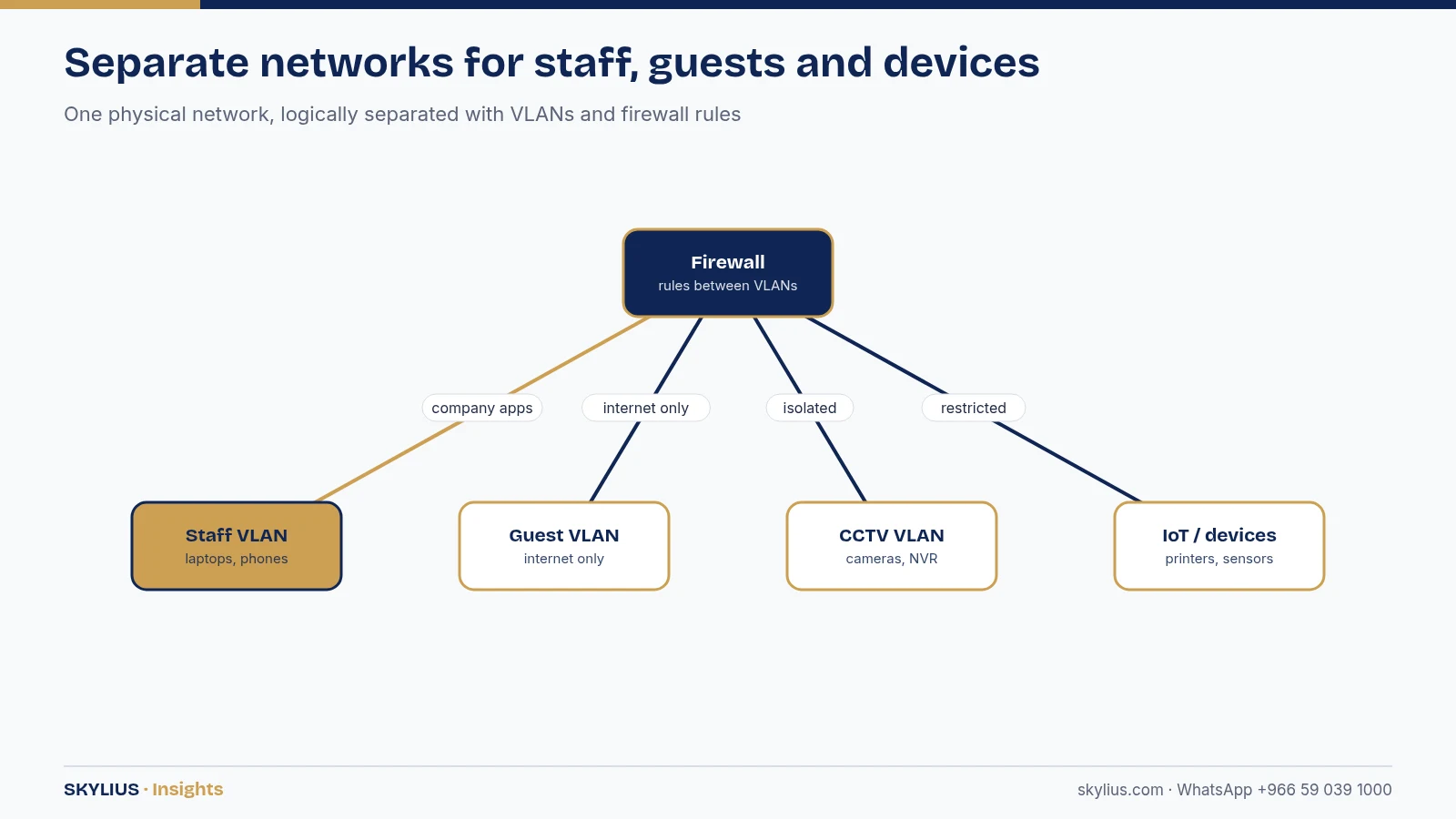
- Create separate SSIDs/VLANs for staff, guests, and devices such as CCTV, printers and IoT.
- Give guests internet-only access with a captive portal or a regularly changed password.
- Keep AP and controller firmware updated and change default credentials.
- Monitor for rogue access points.
Read our cybersecurity checklist for SMEs for a wider view.
What a good Wi-Fi proposal should include
When you compare proposals, look for more than a list of access points. A proposal you can rely on usually includes:
- A coverage plan – a floor plan showing each AP position and the expected coverage, based on a predictive or on-site survey.
- AP model and quantity per area, with mounting method and height.
- Cabling – one cable per AP, the cable category, and whether new points are included.
- PoE switching – switch models and a check that the total PoE budget covers all APs, cameras and phones.
- Network design – the SSIDs and VLANs for staff, guests and devices, and how guest access is handled.
- Security settings – authentication method, firewall rules between networks and an update policy.
- Licences – whether cloud management or controller licences are needed and for how long.
- Validation – a post-installation survey or test report showing coverage meets the design.
- Support – who monitors the network, how faults are reported, and expected response times.
Signs your Wi-Fi needs a redesign
- Video calls freeze in meeting rooms but work at desks.
- Staff reconnect manually when they walk between areas.
- Speed is fine early in the morning and poor when the office is full.
- Handheld scanners in the warehouse lose connection in certain aisles.
- Nobody knows the admin password for the router or access points.
Business-grade vs consumer equipment
Business access points are managed centrally, support many simultaneous users, roam smoothly, are powered by PoE, and mount neatly on the ceiling. Consumer routers and mesh kits can work for very small offices, but they usually struggle with density, central management and network separation.
How Skylius helps
Skylius Holding plans, cables, installs and supports business Wi-Fi for offices, clinics, showrooms, warehouses and compounds across Dammam, Al Khobar, Dhahran and the Eastern Province. We handle the full stack: survey, structured cabling, PoE switching, access points, firewall and ongoing monitoring.
Book a Wi-Fi survey: visit our networking and Wi-Fi service or message us on WhatsApp +966 59 039 1000.
Frequently asked questions
How many access points does my office need?
It depends on floor area, walls, number of users and devices, and applications. A site survey and design give the right number; counting square metres alone is not enough.
Are Wi-Fi extenders a good idea for offices?
Usually not. Extenders often reduce throughput and complicate roaming. Cabled, centrally managed access points are more reliable.
What is the difference between mesh Wi-Fi and business access points?
Mesh kits link units wirelessly and suit homes and very small offices. Business APs are typically cabled with PoE, centrally managed and designed for many users.
Why is my warehouse Wi-Fi weak in some aisles?
Racking, stock and metal block and reflect signals. AP positions designed for aisles, surveys with loaded racks, and sometimes directional antennas solve this.
Should guests use the same Wi-Fi as staff?
No. Guests should be on a separate network with internet-only access, isolated from company systems.
Do I need Wi-Fi 6 or Wi-Fi 7?
Wi-Fi 6 or 6E suits most businesses today. Wi-Fi 7 offers more headroom but benefits depend on device support. Choose based on your devices and plans.
Can CCTV cameras share the Wi-Fi network?
It’s better to keep cameras wired on their own VLAN. Wireless cameras, if used, should be on a separate network from staff and guest traffic.
How long does a Wi-Fi upgrade take?
Small offices can be upgraded quickly if cabling exists. Larger sites or those needing new cabling take longer; your installer will schedule after the survey.